PolyBot Review Checklist: Polymarket Telegram Bot, Fees, Safety, and Copy Trading
An official PolyBot review checklist covering Telegram trading, copy trading, Safe wallet control, fees, gas, deposits, and risk controls.

PolyBot Team
Updated May 31, 2026
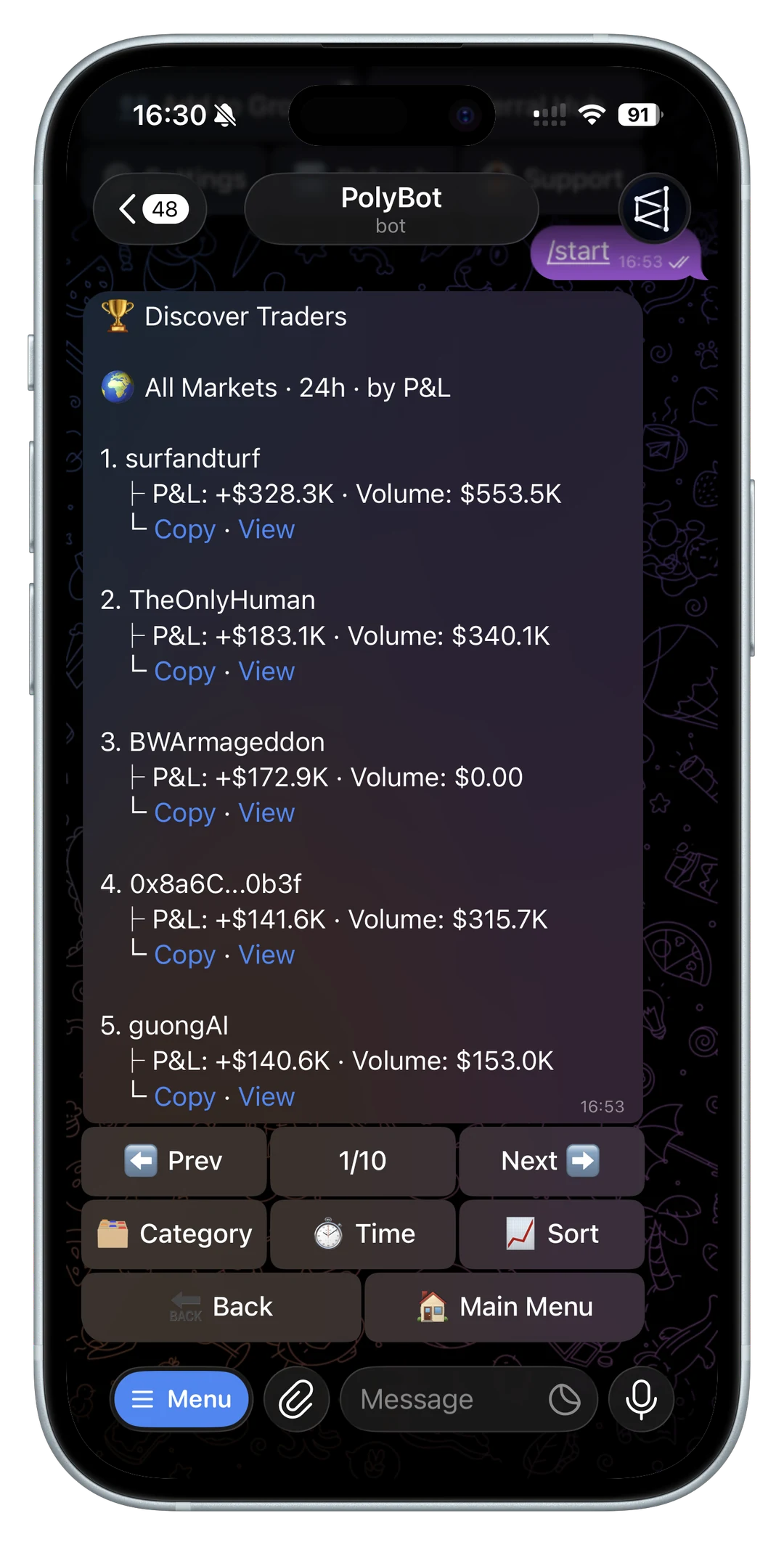
This PolyBot review checklist is written by the PolyBot team, so it should be read as an official product guide, not an independent review.
That distinction matters. Search results for Polymarket bots often mix official pages, third-party reviews, affiliate pages, copied landing pages, and fake Telegram accounts. If you are evaluating PolyBot, start with the facts that can be verified from the official site, docs, and bot links.
This page covers what PolyBot is, what to check before funding, how copy trading works, which safety questions matter, and where the main tradeoffs sit.
What PolyBot is
PolyBot is a Telegram trading bot for Polymarket.
The core workflow is:
- open the official Telegram bot
- create or access the PolyBot wallet flow
- fund the wallet
- search or paste Polymarket markets
- place market or limit orders
- analyze wallets before copy trading
- configure copy settings and risk controls
- monitor positions, alerts, and portfolio state from Telegram
For the product overview, start with the Telegram trading bot guide. For the official bot handle and safety links, read the TradePolyBot guide.
If your review includes shareable profit screenshots, use the Polymarket PnL card guide to separate marketing screenshots from actual realized, unrealized, and redeemable account state.

Official links to verify first
Before evaluating any feature, start from the official PolyBot site, docs, and @TradePolyBot link rather than a search ad, Telegram DM, or copied domain. The community and X links should also match the official site and docs.
If a search result or Telegram message points to a different bot username, copied domain, shortened link, or support account, treat it as unverified. The official PolyBot links checklist explains how to avoid fake bots.
Trading workflow review
PolyBot is strongest when the user wants a Telegram-native workflow.
Useful workflow questions:
- Can you find or open the market quickly?
- Does the bot show the market question clearly?
- Can you choose market or limit orders?
- Is the order size editable before confirmation?
- Can you review open positions after the trade?
- Can you cancel, sell, or manage exposure from the same flow?
Fast execution is helpful only when review remains visible. A good Telegram bot should reduce browser switching, not hide market rules or liquidity.
For manual order flow, read how to buy, sell, and close Polymarket positions from Telegram.
Copy trading review
Copy trading is one of PolyBot's main workflows, but it should start with analysis.
Before copying a wallet, check:
- realized PnL
- win rate in context
- category mix
- trade sizing
- average liquidity
- whether entries are copyable after delay
- drawdown behavior
- whether copied fills would survive fees and slippage
PolyBot's wallet analyzer is designed to connect research with action: inspect the wallet, then translate the result into copy settings. The wallet analyzer guide and copy trading settings guide cover that workflow.
The main tradeoff is simple: automation can make copying easier, but it can also make poor wallet selection more expensive. Do not treat copy trading as passive income.
Fees, gas, and deposits
Fees and funding details can change, so always verify the current docs and in-bot screens before moving funds. If a transfer is already sent but not visible, use the Polymarket deposit not showing up guide before sending more.
At review time, the key questions are:
- What fee applies to trades?
- What asset is used for trading balance?
- Which deposit networks are supported?
- Is gas sponsored for supported actions?
- What withdrawal path is available?
- Are minimum deposits or withdrawal thresholds documented?
- Are failed orders, cancelled orders, and withdrawals explained?
- Are referral rewards clearly separated from trading returns?
The fees, custody, gas, and safety checklist covers these questions in more depth. For funding-specific checks, read fund a Polymarket Telegram bot.
For exit-path troubleshooting, read the Polymarket withdrawal failed or pending guide before treating a failed withdrawal as a custody failure.
For creator and group-owner rewards, read Polymarket Telegram bot referral program.

Wallet and custody review
Wallet control is a first-order safety question.
Review:
- whether the workflow is custodial or self-custodial
- how the Safe wallet model is explained
- whether signer export or recovery is documented
- what happens if Telegram access is lost
- whether private keys or seed phrases are ever requested
- how withdrawals work
Do not paste a seed phrase or private key into a Telegram bot, support chat, copied website, or script. If a product requires raw private-key entry before explaining the wallet model clearly, slow down.
For the detailed wallet checklist, read non-custodial Polymarket Telegram bot and Safe wallet questions.
Risk controls review
PolyBot is most useful when execution and risk controls stay close together.
Review whether your workflow supports:
- slippage limits
- max trade size
- daily caps
- category filters
- stop-loss rules
- take-profit rules
- trailing stops
- pause controls
- alerts for copied fills and large moves
These controls do not make prediction market trading safe. They make the process more explicit. A stop-loss trigger is not a guaranteed fill, and a copied trade can still perform worse than the source wallet.
For exits, read stop loss, take profit, and trailing stops on Polymarket.
For the automated strategy side of this checklist, read Polymarket Auto Trader in Telegram.
Where PolyBot fits best
PolyBot fits traders who want several Polymarket actions in one Telegram workflow:
- manual trading from chat
- copy trading with wallet analysis
- alerts and watchlists
- strategy rules
- position monitoring
- group-driven market discovery
- Safe wallet control
It may be less suitable for users who want a fully custom research stack, a self-hosted bot, or a workflow they can operate only through code. The self-hosted Polymarket bot vs Telegram bot guide explains that tradeoff.
If rule-based automation is the main reason you are evaluating PolyBot, read the Auto Trader workflow guide.
What to verify before trusting any review
Whether you read this page or a third-party PolyBot review, verify:
- official links
- current fees
- current docs
- bot username
- wallet model
- deposit and withdrawal flow
- eligibility restrictions
- support channels
- recent product changes
For location and access questions, read Can U.S. users use a Polymarket Telegram bot?.
Product pages can become stale. Screenshots can be copied. Affiliate reviews can miss operational details. Use official docs and small test actions before relying on any review.
PolyBot review questions traders ask
Is PolyBot an official Polymarket Telegram bot?
PolyBot is a Telegram trading bot for Polymarket with the official bot handle @TradePolyBot. Open it from polybot.trading or docs.polybot.trading rather than a random search ad, Telegram DM, or copied domain.
Is PolyBot safe to use?
Safety depends on how you verify links, understand the wallet model, fund the account, set risk limits, and protect Telegram access. PolyBot is designed around Safe wallet control, but users still need to verify official links and avoid private-key scams.
What is PolyBot best for?
PolyBot is best for traders who want Telegram-native Polymarket execution, copy trading, wallet analysis, alerts, automated strategies, and risk controls in one workflow.
What should I test first?
Start with official-link verification, wallet understanding, a small funding test, market search, a small manual order, and withdrawal visibility before scaling into copy trading or automated strategies.
For the market-discovery step, read the Polymarket market search in Telegram guide.
Not investment advice. This is an official product-authored checklist, not an independent review. Prediction markets are risky, product details can change, and trading can lose money.
Polymarket API Trading Bot Guide: CLOB, API Keys, Orders, and Safer Automation
What to know before building or using a Polymarket API trading bot: CLOB authentication, API keys, signed orders, order types, order-book data, errors, secrets, and safer Telegram automation.
Product Guide / 10 min
Polymarket Auto-Claim and Redeem Winnings in Telegram: Resolved Markets, Payouts, and Balance
How Polymarket auto-claim and manual redemption work in a Telegram bot: resolved markets, winning shares, claim-all, pending redemptions, pUSD balance, notifications, and troubleshooting.
Product Guide / 9 min