Polymarket Wallet Lookup Guide: Check a Wallet, Profile, PnL, Positions, and Activity
How to look up a Polymarket wallet before copy trading: profile address, proxy wallet, open positions, closed positions, activity history, PnL, leaderboards, and copy risk.

PolyBot Team
Updated June 1, 2026
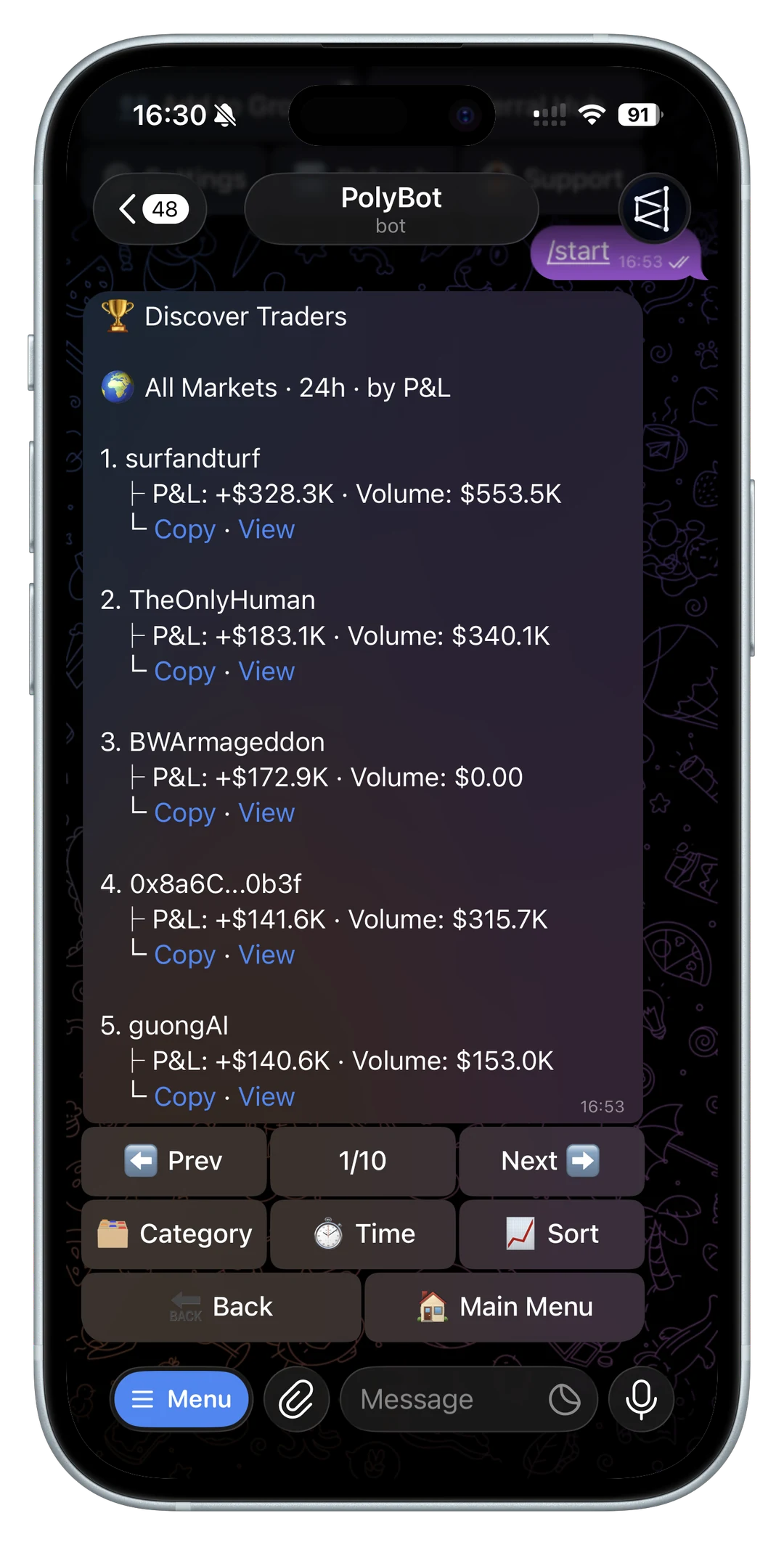
A Polymarket wallet lookup should answer more than "does this address exist?"
Before you copy a trader, follow a whale alert, trust a leaderboard row, or judge your own performance, you need to connect the profile, proxy wallet, positions, activity, PnL, and trade history into one coherent picture.
Polymarket's public documentation exposes profile, position, activity, trade, leaderboard, and accounting-snapshot surfaces. That makes wallet research possible, but the raw data still needs interpretation. A wallet can look profitable while holding large unresolved risk, trading one lucky market, or entering positions that are impossible for followers to copy at the same price.
Use the Polymarket wallet analyzer when you want the shortcut. Use this guide when you want to understand what a wallet lookup should prove before you act on it.
Start with the right address
The first step is confirming which wallet or profile you are checking.
A Polymarket lookup may start from:
- a wallet address
- a public profile URL
- a username or pseudonym
- a leaderboard row
- a trader card shared in a Telegram group
- a whale alert
- an address found through public activity
Do not assume all of those inputs are equally clean. A profile name can be similar to another profile. A shared link can be stale. A wallet can be the right address but still not the right trader if you copied it from a random screenshot.
Polymarket's public profile endpoint accepts a wallet address and returns profile context such as proxy wallet, profile image, pseudonym, display name, X username, and verified badge fields. That is identity context. It is not performance proof.
Once the identity looks right, move to positions and activity.

Understand proxy wallet versus profile identity
Polymarket wallet research often involves a proxy wallet. That matters because the wallet that appears in public market activity may not be the same thing as a social profile name.
For trader review, you usually care about the wallet that actually holds positions and activity. The profile helps you label the trader. The activity and positions show the behavior.
Useful checks:
- Does the profile resolve to a wallet address?
- Is the address formatted like a normal 0x wallet?
- Does the profile have public identity context?
- Does the wallet have recent positions or activity?
- Did the wallet appear in the leaderboard or alert you started from?
- Are you analyzing the same wallet across tools?
If those answers do not line up, slow down before subscribing to copy trades.
Check current positions first
Current positions show what the wallet is exposed to now.
Polymarket's positions data can include fields such as wallet, market condition, size, average price, initial value, current value, cash PnL, percent PnL, total bought, realized PnL, current price, redeemable status, market title, outcome, end date, and negative-risk flag.
That is the live risk surface.
When you look up a wallet, ask:
- What active markets does it hold?
- How concentrated is the wallet?
- Are positions mostly resolved, redeemable, or still open?
- Is current PnL coming from one large unresolved position?
- Are positions in categories you understand?
- Is the wallet holding both sides or related outcomes?
- Would you be comfortable inheriting this exposure through copy trading?
The portfolio and orders guide explains the user-facing version of this review: open positions, PnL, sells, redeems, and orders.
Review closed positions separately
Closed positions are useful because they show completed behavior rather than live exposure.
A wallet with many open wins and few closed trades may look strong, but you do not yet know whether the trader exits well. A wallet with closed results across many markets gives you more evidence.
When reviewing closed positions, separate:
- realized wins
- realized losses
- markets that resolved
- positions sold before resolution
- repeat category performance
- average size on winners versus losers
- whether the trader lets losses grow
Closed-position review helps answer whether the wallet's result has already survived exits, not just mark-to-market movement.
For realized versus unrealized context, read the Polymarket PnL tracker guide.
Use activity history to explain what happened
Activity history is the timeline behind the wallet.
Polymarket's user activity documentation includes records such as wallet, timestamp, condition, size, USDC size, transaction hash, price, market title, outcome, and activity type. Activity types include trades, splits, merges, redeems, rewards, conversions, maker rebates, and referral rewards.
That matters because a wallet's PnL can move for reasons that are not obvious from a current position table.
Activity can show:
- when the wallet entered
- whether it bought or sold
- how much size it used
- the price paid
- whether it redeemed winnings
- whether rewards or rebates affected totals
- whether it split or merged related positions
- whether recent behavior changed
If you are considering copy trading, activity history is where you ask whether the strategy is slow and repeatable or fast and hard to follow.
The trade history and CSV guide explains how activity, fills, positions, and accounting exports fit together.

Do not confuse public wallet data with private access
Wallet lookup is not the same as wallet control.
Public Polymarket data can help you inspect profile context, positions, activity, PnL, and rankings. It should not require a private key, seed phrase, Telegram login code, 2FA code, or wallet export.
Be careful with any "wallet checker" that asks for secrets. A legitimate analysis workflow should be able to work from a public address, profile URL, or username.
For account and wallet safety, read the Polymarket API keys and wallet permissions guide and the official PolyBot links checklist.
Check leaderboard context before trusting the wallet
If the wallet came from a leaderboard, inspect the ranking context.
The same address can look different depending on:
- time period
- category
- ranking by PnL versus volume
- recent activity
- open versus closed exposure
- one-market concentration
- whether the trader is currently active
A top all-time wallet may be inactive. A top daily wallet may be running hot for one event. A high-volume wallet may not be a good directional trader.
Use the Polymarket leaderboard guide before treating a ranked wallet as a copy candidate.
Decide whether the wallet is copyable
A good wallet is not always a good copy target.
Copyability depends on whether a follower can enter similar trades at reasonable prices, with a bankroll that can absorb the strategy's risk.
A wallet may be hard to copy if:
- it trades thin markets
- it enters immediately after breaking news
- it uses very large order sizes
- it depends on many related positions
- it exits quickly
- it has a large bankroll advantage
- it trades categories you cannot monitor
- its best results came from old market conditions
If the wallet buys at 30 cents and followers enter at 40 cents, the copied trade has different risk. If the wallet sizes one position at 15% of its bankroll, copying that directly may be reckless for a smaller account.
For execution and slippage, read why execution speed matters in prediction market copy trading and the liquidity, spread, and slippage guide.
If the wallet appears to trade related-market spreads, read the Polymarket arbitrage guide before copying a visible leg without understanding the full basket.
Turn a wallet lookup into a copy-trading setup
After a wallet passes lookup and analysis, translate the evidence into rules.
Examples:
- Category specialist: use category filters.
- Large-wallet trader: use smaller fixed sizing.
- Fast-news trader: keep slippage tight and accept more skips.
- High-volume trader: set a daily cap.
- Concentrated trader: use per-market or per-outcome limits.
- Unclear exit behavior: add alerts, stop losses, or manual review.
- Long-duration trader: make sure your bankroll can stay locked long enough.
The copy trading settings guide explains fixed and proportional sizing, daily caps, price filters, slippage, trade size limits, category filters, copy modes, skip reasons, and performance review.
The copy trading bankroll and drawdown guide explains how much capital to allocate before increasing size.
A practical Polymarket wallet lookup checklist
Use this sequence before copying, following, or trusting a wallet:
- Confirm the profile or wallet address.
- Check whether the wallet has recent activity.
- Review current positions and open exposure.
- Review closed positions and realized behavior.
- Separate PnL from current market value.
- Check activity history for entries, exits, redeems, and rewards.
- Identify category concentration.
- Compare trade sizes with your own bankroll.
- Check liquidity and spread around typical entries.
- Decide whether the wallet is copyable, not just profitable.
- Start with conservative copy settings if you subscribe.
- Monitor copied results against the source wallet.
For the end-to-end trader selection process, read the best Polymarket traders to copy guide.
Polymarket wallet lookup questions
What is a Polymarket wallet lookup?
A Polymarket wallet lookup is the process of checking a public wallet or profile to review identity context, positions, activity history, PnL, market categories, and copy-trading risk.
Can I check a Polymarket wallet by address?
Yes. Public Polymarket data can be queried by wallet address for profile context, positions, activity, and related performance surfaces. A wallet analyzer can make that review easier.
Is a wallet checker enough before copy trading?
No. A wallet checker can surface useful data, but you still need to judge repeatability, liquidity, current activity, sizing, drawdowns, and whether the wallet is actually copyable.
Should a wallet lookup require my private key?
No. A public wallet lookup should not require a private key, seed phrase, Telegram login code, or 2FA code. Treat requests for secrets as unsafe.
What should I do after finding a promising wallet?
Run it through the Polymarket wallet analyzer, review the leaderboard context, then configure conservative copy settings before increasing exposure.
Not investment advice. Public wallet data can be incomplete, stale, noisy, or hard to copy. Prediction-market trading and copy trading can lose money.
Polymarket Leaderboard Guide: PnL, Volume, Wallet Rankings, and Copy Trading Risk
How to read a Polymarket leaderboard before copy trading: PnL, volume, time windows, category rankings, wallet activity, liquidity, and when top traders are not copyable.
Wallet Analysis / 10 min
Polymarket PnL Card Guide: Share Profit and Loss From Telegram Without Misreading the Trade
How to use Polymarket PnL cards from a Telegram bot: what a profit card can show, what it cannot prove, and how to pair shareable screenshots with portfolio, PnL, orders, and trade history checks.
Wallet Analysis / 9 min