Polymarket Whale Alerts and Wallet Tracking: Use Large Trades Without Blind Copying
How to use Polymarket whale alerts and wallet tracking responsibly: big trade alerts, wallet analysis, copy-trading filters, liquidity checks, and Telegram workflow.

PolyBot Team
Updated June 2, 2026
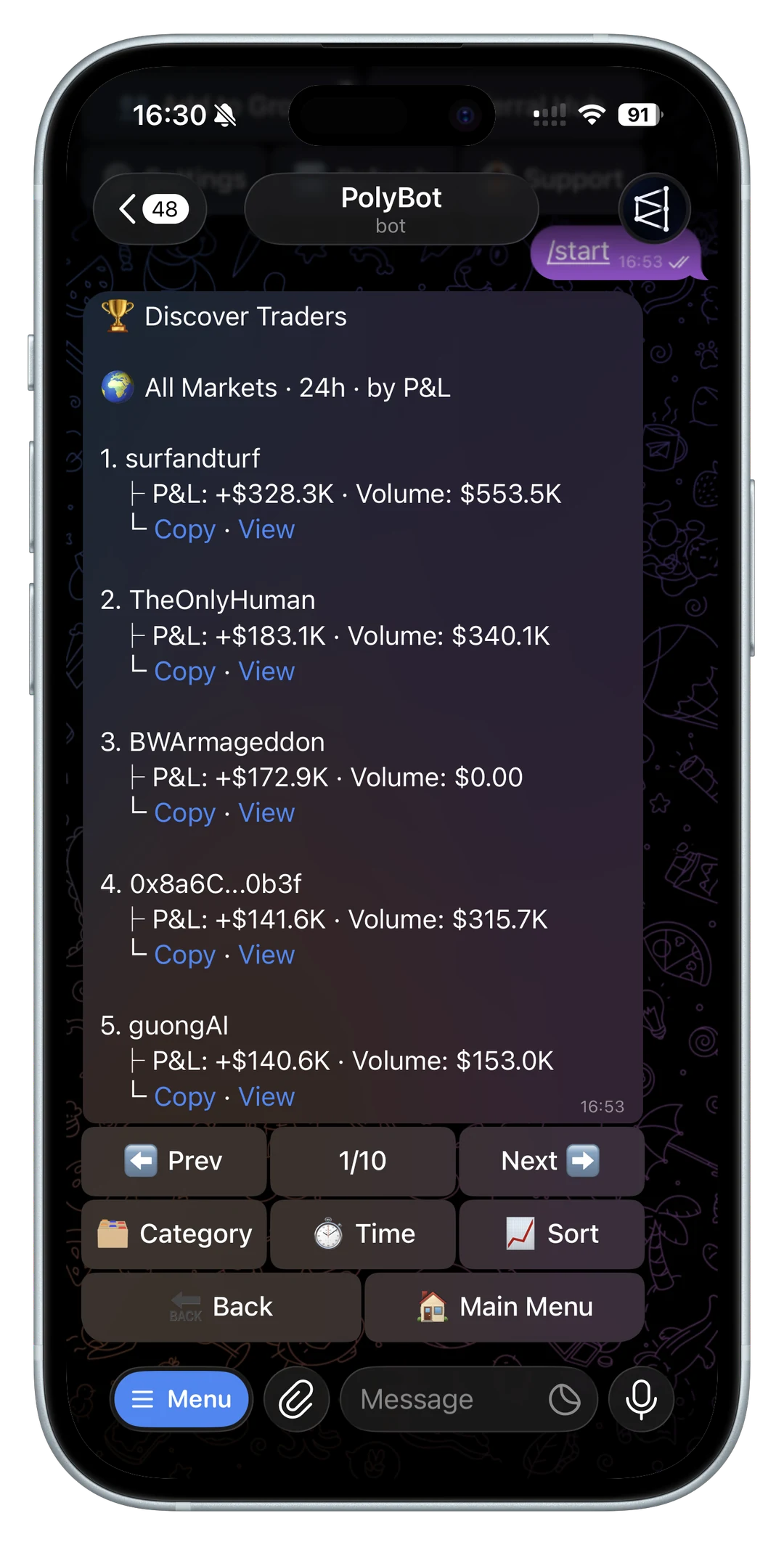
Polymarket whale alerts are useful because large trades can reveal where attention, conviction, or risk is moving.
They are also easy to misuse. A large wallet trade is not automatically a trade signal. The wallet may have a different bankroll, a hedge you cannot see, a time horizon that does not match yours, or a size advantage that makes the trade impossible to copy cleanly.
This guide explains how to use Polymarket whale alerts and wallet tracking as research inputs, not as instructions to blindly copy.
For a broader framework across price alerts, wallet moves, group messages, and copied-wallet notifications, read the Polymarket trading signals bot guide.
If whale alerts are delivered alongside copied trades, failed orders, portfolio reminders, and redemption updates, use the Polymarket notification bot guide to keep each alert type in its own review path.
If whale alerts are one input inside a larger market-discovery workflow, read the Polymarket market scanner bot guide before treating large trades as automatic entries.
PolyBot's official Market Alerts Guide documents big trade alerts alongside price target and price change alerts. PolyBot's overview also describes market alerts as part of the Telegram automation surface. The important SEO and trader point is the workflow around those alerts: what to check before you follow the move, copy the wallet, or place an order.
If the alert points to a wallet worth reviewing, use the best Polymarket traders to copy guide before deciding whether the wallet belongs in a copy-trading shortlist.
If you only have the address from an alert, use the Polymarket wallet lookup guide to check positions, activity, and profile context before following it.
If that wallet is ranked on a trader board, read the Polymarket leaderboard guide before treating rank, PnL, or volume as a copy signal.
Quick answer: how should you use a Polymarket wallet tracker?
Use a Polymarket wallet tracker to notice smart-money activity, not to outsource the trade decision.
A strong wallet-tracking workflow looks like this:
- track wallets with real activity, not only social hype
- separate large trades from repeatable trader behavior
- check PnL quality, category edge, position size, and drawdown
- review the current market price, spread, and available liquidity
- decide whether the result belongs in a watchlist, alert rule, copy setup, or no-trade list
The important distinction is timing. A real-time whale alert can tell you something happened. A wallet tracker can show whether that behavior repeats. A wallet analyzer can help decide whether the wallet is worth copying.
Polymarket's public API overview and CLOB trading docs are useful references when comparing wallet tracker and alert tools, because many marketing claims ultimately depend on market, trade, and order data.

Whale alerts, wallet tracking, and copy trading
| Workflow | What it tells you | Best next step |
|---|---|---|
| Whale alert | a large trade or wallet move happened | inspect market price, spread, liquidity, and side |
| Wallet tracker | the wallet's recent activity and patterns | add to watchlist or analyze deeper |
| Wallet analyzer | whether PnL, win rate, sizing, and category edge are copyable | configure cautious copy settings or reject the wallet |
| Copy trading | your account mirrors selected trades under rules | monitor fill quality, skips, slippage, and drawdown |
Top wallet-tracker pages often emphasize real-time alerts. That is useful, but real-time does not automatically mean actionable. A fast alert is valuable only when it gives enough context to avoid chasing a stale or uncopyable move.
What a whale alert can tell you
A whale alert usually means a large trade happened in a market you are watching.
That can be useful because it may point to:
- a market that is getting new attention
- a wallet taking a high-conviction position
- a possible information edge
- a market repricing after news
- a category or event worth deeper research
- a trader worth adding to your watchlist
But the alert only proves that a large trade happened. It does not prove the trade was smart, profitable, copyable, or relevant to your own setup.
Big trade alerts are not the same as copy trading
Whale tracking and copy trading are related, but they are not the same workflow.
A whale alert says: "A large trade happened."
Copy trading asks: "Should my wallet mirror this trader under my rules?"
That second question needs more evidence. Before copying a large wallet, check whether the wallet has repeatable performance, whether it trades categories you understand, whether its entries are liquid enough for followers, and whether your bankroll can handle the same volatility.
The how to copy trade on Polymarket from Telegram guide covers the full setup. Use whale alerts as a discovery layer before that process, not as a replacement for it.
Why large wallets can be hard to follow
Large wallets can trade in ways that smaller accounts cannot copy cleanly.
Common problems:
- The whale consumes the best available liquidity.
- The alert arrives after the price already moved.
- The wallet's order size creates market impact.
- The trade is part of a hedge across related markets.
- The wallet can tolerate drawdown you cannot.
- The wallet may be exiting while followers are entering.
This is why copying a large trade after the fact can produce worse results than the original wallet. You may be entering a later, more expensive, thinner version of the same market.
For order-book context, read the Polymarket liquidity, spreads, and slippage guide.

Analyze the wallet before trusting the alert
The first useful action after a whale alert is not always a trade. Often it is wallet analysis.
Ask:
- Has this wallet made money across many markets or only one event?
- Does it specialize in a category?
- Does it trade before news, after news, or near resolution?
- Are its wins larger than its losses?
- Does it size up intelligently?
- Are recent trades consistent with older behavior?
- Would its typical trades be copyable at your size?
The PolyBot wallet analyzer is built for this step. Paste a wallet, profile URL, or username, then review edge profile, category mix, sizing, win rate, PnL behavior, and copy setup suggestions.
For the metric-by-metric checklist, read the Polymarket wallet analyzer guide.
Separate market signal from wallet signal
A whale alert can mean two different things.
It can be a market signal: something changed in the market, and the large trade is only one clue.
It can also be a wallet signal: this trader may be worth watching because their activity is consistently useful.
Do not mix those together too quickly.
If it is a market signal, review the market:
- exact question
- outcome side
- current price
- bid-ask spread
- available liquidity
- expiry
- recent news
- whether a limit order is safer
If it is a wallet signal, review the trader:
- PnL quality
- category edge
- sizing behavior
- sample size
- drawdown
- copyability
- recent behavior changes
The Polymarket market search guide helps with the market side. The wallet analyzer guide helps with the trader side.
Build a whale-alert workflow in Telegram
A disciplined Telegram workflow looks like this:
- Receive a big trade or wallet alert.
- Open the market or wallet context.
- Confirm the market wording, side, and current price.
- Check liquidity, spread, and time to resolution.
- Analyze the wallet if the trader is new to you.
- Decide whether the alert supports a watchlist entry, limit order, copy setup, or no action.
- Record what happened after the alert so you can judge signal quality later.
This keeps alerts useful. The alert starts the review; it does not finish it.
For the broader alert surface, read Polymarket Telegram alerts and watchlists.
When a whale alert is worth acting on
Some whale alerts deserve attention.
A whale alert is stronger when:
- the wallet has a track record in that category
- the market still has enough liquidity after the trade
- the spread remains reasonable
- the trade fits a known pattern for the wallet
- the wallet is adding to a position, not just making a random small test
- the alert matches independent news or market structure
- your planned order still makes sense at the current price
Even then, the action may be "watch," "analyze," or "place a limit order," not necessarily "market buy now."
When to ignore a whale alert
Many whale alerts should be ignored.
Weak signals include:
- a wallet with no clear track record
- a trade in a category you do not understand
- a wide spread after the alert
- very thin available liquidity
- a market close to resolution with unclear rules
- a trade that already moved the price too far
- a wallet that may be hedging elsewhere
- social pressure from a group chat
Ignoring weak alerts is part of good alert hygiene. The goal is not to respond to every large move. The goal is to identify the few large moves that deserve deeper review.
Use alerts to build a shortlist, not a reflex
Whale alerts are often best used for candidate discovery.
Instead of copying the first trade you see, add interesting wallets to a shortlist:
- track the wallet for several days
- compare alerts against later outcomes
- look for repeated category strength
- check whether large trades outperform small trades
- see whether entries are early or late
- compare the wallet against other candidates
This is slower than chasing every alert, but it produces better evidence. A wallet that repeatedly shows useful large-trade behavior is more valuable than a single noisy whale trade.
For a broader trader-discovery framework, read the smart money copy trading playbook.
Copy settings for whale-derived wallets
If a whale alert leads you to a wallet worth copying, start conservatively.
Use controls such as:
- fixed copied size instead of matching whale size
- maximum copied trade size
- daily cap
- category filters
- price range filters
- strict slippage on thin markets
- per-market exposure cap
- pause rules after repeated bad fills
The biggest mistake is importing the whale's risk profile into your smaller account. Their sizing is not your sizing. Their edge is not automatically your edge.
Use the copy trading settings guide and the bankroll and drawdown guide before scaling a whale-derived setup.
Group chats can amplify bad whale signals
Whale alerts spread quickly in Telegram groups.
That can be useful for discovery, but it also creates pressure. By the time a group is discussing a large trade, the price may already have moved, liquidity may be thinner, and users may be reacting to each other instead of the market.
In a group, use whale alerts for shared research:
- ask what the wallet's track record is
- inspect the market terms
- compare price before and after the trade
- check whether the wallet has related positions
- move actual trade confirmation into a private bot session
- ignore fake support DMs and unofficial bot links
For group-specific safety and flow, read Polymarket Telegram group trading and official PolyBot links and fake bot safety.
Whale alert checklist
Before acting on a Polymarket whale alert, confirm:
- Which wallet traded?
- Which market and outcome?
- Was it a buy or sell?
- How large was the trade relative to market liquidity?
- What is the current spread?
- Did the price move after the trade?
- Does the wallet have a history in this category?
- Is the trade copyable at your size?
- Would a limit order be safer than a market order?
- Does this fit your risk plan?
If you cannot answer those questions, the alert is not ready to become a trade.
FAQ
Are Polymarket whale alerts good trading signals?
They can be useful research signals, but they are not automatically good trade signals. A large trade needs wallet analysis, liquidity review, and risk checks before it becomes actionable.
Should I copy every large wallet trade?
No. Large wallets may have different bankrolls, hedges, information, and time horizons. Copy only after analyzing repeatable behavior and setting conservative copy rules.
What is the difference between whale alerts and wallet tracking?
Whale alerts notify you about large trades or major activity. Wallet tracking is the broader process of monitoring a trader's behavior over time so you can judge whether the signal repeats.
Can a whale alert be too late?
Yes. If the alert fires after the price moved or the best liquidity disappeared, chasing it can create a worse entry than the whale received.
What should I do first after a whale alert?
Open the market or wallet context, check the current price and liquidity, then analyze the wallet. Do not jump directly from notification to market order.
Treat whale alerts as evidence, not instructions
Whale alerts can help you discover active markets and interesting wallets. They become dangerous when they replace your own analysis.
Use them to ask better questions: who traded, why might they have traded, can this wallet be trusted, is the market still liquid, and does the setup fit your bankroll?
That is the useful role of a Polymarket whale tracker. It points you toward possible signal. Your process decides whether there is a trade.
Not investment advice. Prediction markets are risky, and large-wallet activity can lose money or be impossible to copy cleanly.
Polymarket Wallet Analyzer Guide: PnL, Win Rate, Sizing, and Copy Risk
A practical guide to analyzing a Polymarket wallet before copying it: PnL, win rate, category edge, trade sizing, timing, liquidity, and copy-trading risk.
Wallet Analysis / 11 min
Polymarket Leaderboard Guide: PnL, Volume, Wallet Rankings, and Copy Trading Risk
How to read a Polymarket leaderboard before copy trading: PnL, volume, time windows, category rankings, wallet activity, liquidity, and when top traders are not copyable.
Wallet Analysis / 10 min