Polymarket Telegram Bot vs Web Trading: When Telegram Execution Matters
Compare trading Polymarket from Telegram versus the web app: speed, mobile workflow, paste-to-trade, copy trading, alerts, groups, risk controls, and wallet flow.

PolyBot Team
Updated June 1, 2026
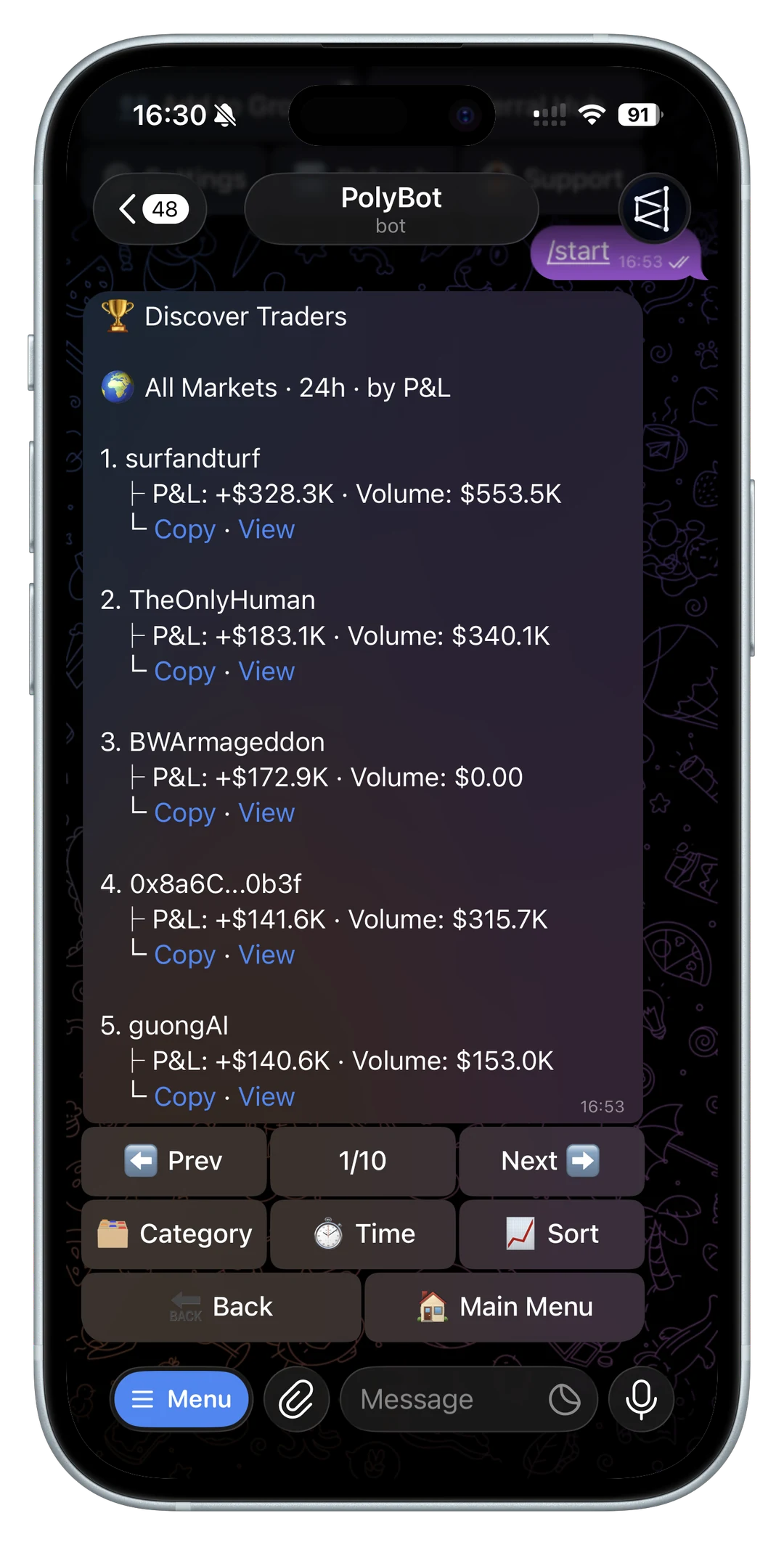
Trading Polymarket from the web app works well when you are already at your desk, know the market, and have time to review the order book.
A Polymarket Telegram bot solves a different problem: reacting from the place where many traders already receive links, alerts, group messages, and wallet signals.
The difference is not only convenience. In prediction markets, workflow speed can change the trade.
For the broader bot-selection checklist across execution, alerts, copy trading, automation, wallet safety, and cost, read the prediction market trading bot guide.
If your main workflow is phone-first, read the Polymarket mobile trading bot guide before relying on alerts, fast buttons, or wallet actions from mobile.
The right choice is usually not "Telegram or web forever." It is deciding which surface fits the job in front of you. Research, execution, copy monitoring, order management, and portfolio review each have different requirements.
The web app is good for research
The Polymarket web experience is useful when you want to browse markets, read descriptions, compare outcomes, and inspect context.
Web trading is often best when:
- you are researching a new market
- you want a larger screen
- you need to compare multiple markets
- timing is not urgent
- you are checking detailed market context
For slower decisions, the web app gives you space.
It is also the better starting point when you do not yet understand the market. If you need to read the rules, compare related markets, check resolution language, or inspect a full event page, slow down. A faster interface does not help if the thesis is weak or the market question is misunderstood.
For beginners, this is the first habit to build. The Polymarket Telegram bot for beginners guide explains why market wording, liquidity, custody, and order type should be understood before the first trade.

Telegram is good for fast action
Telegram is where many market signals already appear:
- group chats
- private alerts
- shared Polymarket links
- wallet activity notifications
- news channels
- trader communities
If the signal starts in Telegram, moving from chat to browser to wallet to order can create delay. A Telegram trading bot reduces those steps.
For signal-specific review rules, read the Polymarket trading signals bot guide before deciding whether an alert, wallet move, or group message should become an order.
For fast-entry discipline around those signals, read the Polymarket sniper bot guide.
PolyBot is built for that workflow: open the bot, paste a market, review prices, place orders, copy wallets, and manage risk without leaving Telegram. The Telegram trading bot guide explains the full product surface.
For market discovery specifically, read the Polymarket market search in Telegram guide.
Telegram is especially useful on mobile because the decision and the action can stay in the same context. If a market link, copied-wallet signal, or price alert arrives in chat, the trader does not have to reconstruct the market later from memory. For the alert-specific workflow, read Polymarket Telegram alerts and watchlists.
Paste-to-trade matters
A common prediction market workflow starts with a link.
Someone drops a Polymarket market in a chat. You want to check it, decide, and act quickly.
With a Telegram-first workflow, the path can be:
- Paste or receive the market link.
- Open the market card.
- Review YES/NO pricing.
- Choose market or limit order behavior.
- Confirm the trade.
That is different from switching apps, searching for the market manually, reconnecting context, and then placing the order.
Paste-to-trade does not mean "skip review." The bot still needs to show the outcome, price, size, estimated cost, and confirmation clearly. The value is removing search friction, not removing judgment.
If a market order fails or fills differently than expected, use the Polymarket order failed guide and the liquidity, spreads, and slippage guide to separate product issues from order-book conditions.
Copy trading is more natural near alerts
Copy trading also benefits from Telegram because wallet signals often behave like alerts.
You may want to:
- receive a notification when a followed wallet trades
- adjust copy settings quickly
- review portfolio and open orders without switching devices
- pause a wallet
- review a copied fill
- open the trader's profile
- change caps after a large move
When copy trading controls live near the notifications, the workflow is easier to monitor.
Before copying a wallet, use the Polymarket wallet analyzer and read how to copy trade on Polymarket from Telegram.
This is one of the biggest differences from web-only trading. Copy trading is not just an entry button. It is a monitoring loop: alerts, copied fills, skips, slippage, portfolio exposure, and pause decisions. Telegram fits that loop because it is already a notification surface.
If skips dominate that loop, read the Polymarket copy trading skipped trades guide before widening settings from a phone.
Limit orders and triggers reduce panic
Fast execution does not always mean market buying.
In many cases, the better workflow is to define the price you want before the market gets there. That can mean limit orders, trigger prices, or automated strategies.
Telegram can help because you can set the rule quickly and then let the bot watch.
This is especially relevant for:
- crypto up/down markets
- breaking-news repricing
- target entries
- exits that need stop-loss or take-profit rules
- trades you do not want to babysit
The Polymarket sniper bot guide explains fast manual execution. The copy trading speed guide explains wallet-based automation.
For price-control details, read Polymarket limit orders from Telegram. Limit orders are often the bridge between web-style research and Telegram-style execution: research the price you want, then let the bot help you manage the order.

Group trading is a separate advantage
Prediction market traders often discuss markets in groups before they trade.
A Telegram bot can turn a group into a lightweight trading surface:
- search markets inside the chat
- share market cards
- discuss prices with context
- open trades in DM
- route referrals from group activity
This is not only about speed. It is about keeping the market, conversation, and action close together.
For the dedicated workflow, read Polymarket Telegram group trading and the Polymarket market search in Telegram guide. For referral attribution, read Polymarket Telegram bot referral program.
Risk controls still matter
A fast interface can make mistakes faster too.
Any Telegram trading workflow should include:
- clear confirmations
- position sizing controls
- slippage awareness
- stop-loss tools
- take-profit tools
- alerts
- easy pause or cancel paths
PolyBot pairs Telegram execution with risk controls, copy settings, and automated strategy tools. Read the stop-loss and take-profit guide for the exit side.
For the post-entry side, read the Polymarket portfolio and orders guide.
Side-by-side workflow comparison
Use this comparison as a practical decision guide:
| Workflow | Web app strength | Telegram bot strength |
|---|---|---|
| Researching a new market | Better for full-page reading and browsing related markets | Useful after someone shares a specific market link |
| Fast market entry | More steps if the signal starts elsewhere | Strong when the signal starts in chat, alerts, or mobile |
| Limit orders | Good when already on the market page | Strong when you want quick price-control actions from a signal |
| Copy trading | Useful for broader wallet research | Strong for alerts, copied-fill review, pauses, and settings |
| Portfolio review | Better for larger-screen inspection | Strong for quick checks, open orders, and trade follow-up |
| Group discussion | Separate from the trading surface | Strong when market cards and discussion happen in the same chat |
The best workflow often uses both surfaces. Use the web when you need more context. Use Telegram when the trade depends on responding quickly, monitoring alerts, or managing a rule you already understand.
When web trading is still better
Telegram is not always the right surface.
Use the web app when:
- you need a deeper research session
- you want to inspect many related markets
- you are new to a topic and need more context
- you prefer larger-screen portfolio review
- speed is not the main issue
- the market is complex enough that you need to reread resolution criteria
- you are comparing multiple outcomes in the same event
For multi-outcome event structure, read the Polymarket negative-risk markets guide before deciding whether to research on web, act from Telegram, or skip the setup.
The strongest workflow may use both: research on the web, execute and monitor in Telegram.
When Telegram can be the wrong tool
Telegram execution can become a liability when a trader uses speed as a shortcut for analysis.
Be careful when:
- the market question is ambiguous
- liquidity is thin and you have not checked the spread
- you are copying a wallet without knowing why it wins
- you are trading from a group message without reading the source
- you have not configured slippage, size, or exit rules
- you are using a bot link that was sent by an unverified account
Before funding any Telegram workflow, verify official links and read the PolyBot fake bot safety checklist. For wallet and custody questions, read the fees, custody, gas, and safety guide.
When Telegram execution matters most
Telegram execution matters most when:
- the signal starts in a chat
- you are on mobile
- the market is moving quickly
- you need alerts and order controls together
- you are copying wallets
- you trade during short windows
- you want group market discovery
That is the product thesis behind PolyBot: bring Polymarket trading closer to where signals and decisions already happen.
A practical hybrid workflow
For many traders, the cleanest process is:
- Research unfamiliar markets on the web.
- Save or share the market link into Telegram when it becomes actionable.
- Use Telegram for alerts, order placement, limit-order management, and copy monitoring.
- Review open orders and portfolio exposure regularly.
- Return to the web for deeper market research or broad portfolio inspection.
This avoids the false choice between a research surface and an execution surface. The web app helps you understand the market. Telegram helps you act and monitor when timing matters.
Use Telegram when speed supports discipline
The web app is strong for research. A Polymarket Telegram bot is strong for fast, mobile, signal-driven workflows.
If you only trade slowly, the difference may not matter. If you react to links, copy wallets, manage alerts, or trade fast-moving markets, reducing the distance between signal and order can change outcomes.
Not investment advice. Fast execution helps only when the underlying decision and risk settings are sound.
Polymarket Market Scanner Bot Guide: Find Markets, Alerts, Liquidity, Wallet Signals, and Risk
How to evaluate a Polymarket market scanner bot workflow: search, trending markets, volume, price alerts, whale alerts, wallet signals, liquidity, order books, and risk controls.
Telegram Trading / 12 min
Polymarket Market Search in Telegram: Find Markets, Check Liquidity, and Trade Safely
How to use Polymarket market search inside Telegram: /search, /polybot group search, volume, trending, category, live, up/down markets, liquidity checks, paste-to-trade, and safe order review.
Telegram Trading / 11 min