Polymarket Telegram Bot for Beginners: What to Check Before Your First Trade
A beginner checklist for using a Polymarket Telegram bot: official links, wallet funding, order types, copy trading, alerts, and risk controls.

PolyBot Team
Updated June 1, 2026
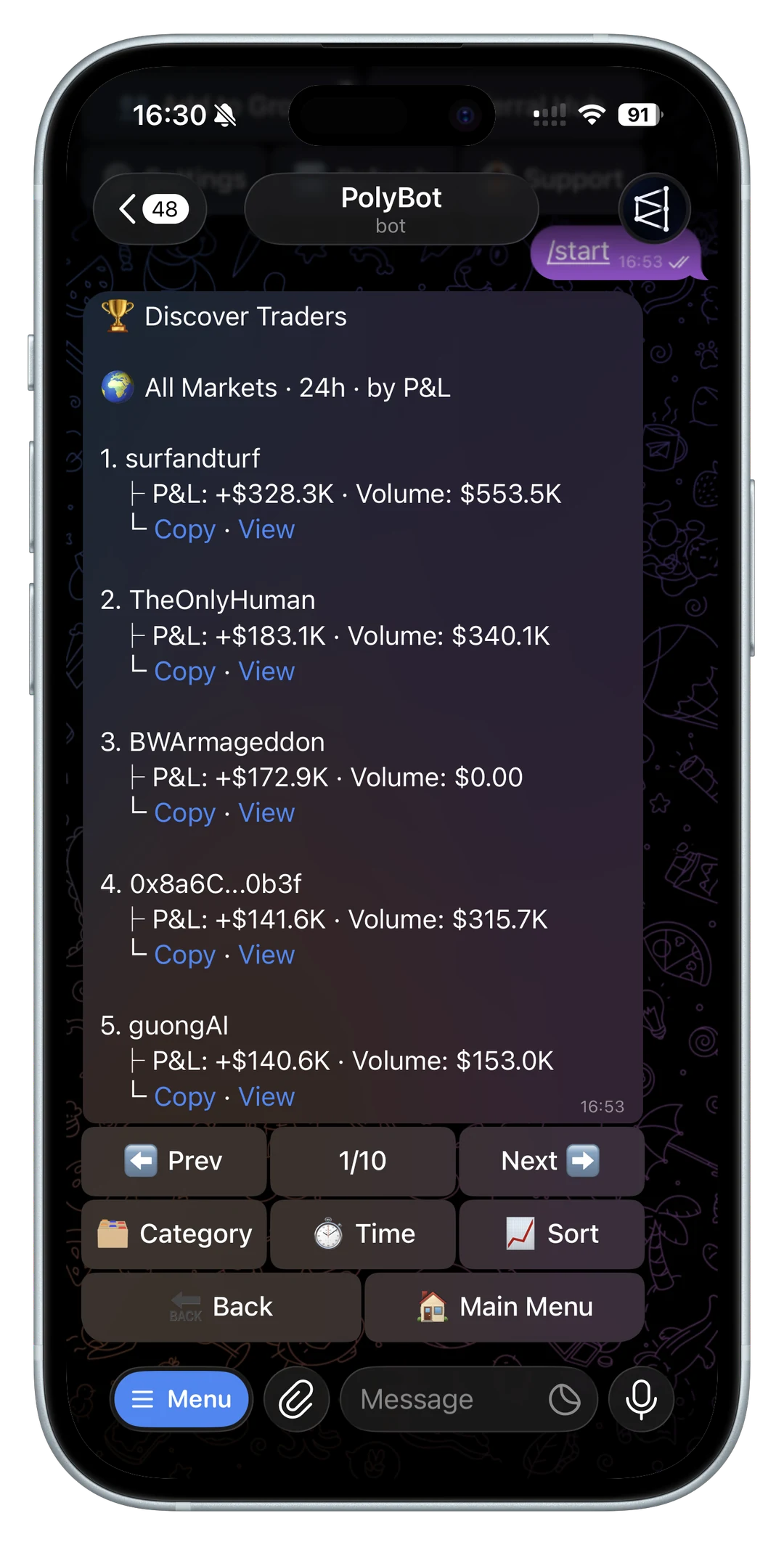
A Polymarket Telegram bot can make trading faster, but beginners should not skip the basics.
The workflow is simple on the surface: open a bot, fund a wallet, find a market, choose YES or NO, and place a trade. The risk is that speed makes it easier to act before understanding the market question, order book, custody model, or copy trading settings.
This beginner guide explains what to check before your first trade.
The goal is not to make your first trade fast. The goal is to make your first trade understandable. A Telegram bot should reduce workflow friction after you know what you are doing, not hide the market, wallet, or order details that decide the outcome.
1. Verify the official bot and docs
Start from official links, not random Telegram DMs.
For PolyBot:
- Website: polybot.trading
- Telegram bot: @TradePolyBot
- Docs: docs.polybot.trading
Fake bots and support accounts can copy names and avatars. If a bot asks for a seed phrase or private key, stop.
Read official PolyBot links and fake bot safety before funding any Telegram workflow.
If you are specifically starting with PolyBot, the TradePolyBot guide explains the official bot workflow.
Also verify eligibility before opening or funding a bot. If you are in the U.S. or another restricted jurisdiction, read Can U.S. users use a Polymarket Telegram bot?.

2. Know what Telegram changes and what it does not
Telegram changes the surface you use. It does not change the underlying risk of prediction markets.
For the broader bot-selection framework across alerts, copy trading, automation, execution, and wallet safety, read the prediction market trading bot guide.
If you are using the bot to discover active markets, read the Polymarket market scanner bot guide before reacting to trending markets, price alerts, or whale moves.
For a focused version of that discovery workflow, use the Polymarket volume alerts bot guide before trading from volume spikes or market-mover notifications.
A bot can help you:
- open a market from a chat link
- review a market card on mobile
- place market or limit orders
- receive alerts
- monitor copied wallets
- check positions and open orders
It cannot make a weak market thesis strong. It cannot guarantee fills. It cannot remove liquidity risk. It also cannot protect a user who funds a fake bot or trades from an unverified support message.
If YES/NO prices, implied probability, and payout math are still unclear, read Polymarket odds and prices explained before placing the first trade.
If bid, ask, spread, and depth are unclear, read the Polymarket order book guide before using a fast market order.
If fees, gas, spread, and slippage are unclear, read the Polymarket trading costs guide before increasing size.
If trade size, bankroll limits, and exposure caps are unclear, read the Polymarket position sizing guide before making larger trades feel normal.
If you are deciding whether Telegram is the right surface for you, read Polymarket Telegram bot vs web trading. For most beginners, the best approach is hybrid: research unfamiliar markets slowly, then use Telegram for confirmed actions, alerts, and follow-up.
If you prefer command-based navigation, keep the Polymarket Telegram bot commands guide open while learning /wallet, /search, /portfolio, /orders, /copy, /strategy, and /settings.
If you first discover markets in a community chat, read the Polymarket Telegram group trading guide before treating any group message as a trade signal.
If alerts, wallet moves, or group messages are how you find trades, read the Polymarket trading signals bot guide before acting on the next notification.
3. Understand the wallet model
Before depositing funds, understand:
- who controls the wallet
- how deposits work
- how withdrawals work
- what fees apply
- whether gas is needed
- what happens if Telegram access is lost
- how to pause or stop automation
PolyBot's public positioning includes Safe wallet control for its Polymarket workflow. The fees, custody, gas, and safety checklist explains what to review.
For the custody-specific version, read the non-custodial Polymarket Telegram bot guide before funding meaningful size.
For the actual first-funding path, use the Polymarket Telegram bot deposit guide before sending USDC or any other supported asset.
If a first transfer does not appear after funding, use the Polymarket deposit not showing up guide before sending a second transfer.
For execution defaults like quick-buy amounts, trading mode, manual slippage, and 2FA, read the Polymarket Telegram bot settings guide.
Before testing withdrawals or private key export, read the Polymarket Telegram bot withdrawal guide and the Polymarket Telegram bot 2FA security guide.
4. Read the market question carefully
Prediction markets are about exact questions.
Before trading, check:
- the wording
- the resolution source
- the deadline
- whether the outcome is YES or NO
- whether the event is already priced in
- current liquidity
- spread width
Do not trade only from a headline. The market question is the contract.
If you are finding markets from inside Telegram, read the Polymarket market search guide before using a search result as a trade idea.
If you do not understand how the market will officially settle, read the Polymarket resolution rules guide before making it your first trade.
If the market belongs to a multi-outcome event, read Polymarket negative-risk markets in Telegram before treating it like a simple binary market.
5. Learn market orders and limit orders
A market order prioritizes execution. A limit order prioritizes price.
Beginners often overuse market orders because they feel faster. That can be expensive in thin markets. A limit order can protect price, but it may not fill.
Read Polymarket order types before using a fast execution workflow.
If you are tempted by sniper-style entries, read the Polymarket sniper bot guide before increasing speed or size.
For a deeper price-control guide, read Polymarket liquidity, spreads, and slippage and Polymarket limit orders from Telegram.
If your first limit order is still open and you are not sure whether to wait or cancel, read the Polymarket limit order not filled guide before retrying.
If a trade fails, do not keep retrying blindly. Use the Polymarket order failed guide to check balance, allowance, liquidity, and order-type issues.

6. Use alerts before you use urgency
Beginners often confuse alerts with trade instructions. An alert is only a prompt to review.
When an alert arrives, ask:
- Did the market move because of real news or temporary noise?
- Is the current price still attractive?
- Is the spread reasonable?
- Is there enough size for your order?
- Would a limit order be safer than a market order?
- Are you reacting because the setup is good or because the notification feels urgent?
This matters because Telegram is a high-speed environment. The same speed that helps you act can also push you into decisions you would not make with a larger screen and more time.
For price and market discovery, read the Polymarket Telegram alerts and watchlists guide.
7. Start with alerts and watchlists
Not every market needs an immediate trade.
Use alerts and watchlists when:
- the price is not right yet
- liquidity is too thin
- you are waiting for news
- the market is close to resolution
- you need time to read the rules
The Polymarket Telegram alerts and watchlists guide covers what to monitor.
8. Be careful with copy trading
Copy trading can be tempting because it feels easier than picking markets yourself.
Before copying a wallet, ask:
- does the wallet have repeatable behavior?
- which categories does it trade?
- how large are its trades?
- can you copy the entries at similar prices?
- how does it exit?
- what happens during drawdowns?
Use the wallet analyzer before copying. Then read the Polymarket copy trading guide and how to copy trade on Polymarket from Telegram.
If you are choosing from a leaderboard or shared wallet, read the best Polymarket traders to copy guide before turning on automation.
If someone shares only a wallet address, use the Polymarket wallet lookup guide before copying or funding around that signal.
Do not treat copy trading as a beginner shortcut. A copied wallet can still enter thin markets, size too aggressively for your bankroll, or trade categories you do not understand. If you start with copy trading, use strict size caps and review copied fills against the source wallet. The copy trading settings guide explains the controls to configure before increasing exposure.
For the sizing side, read the copy trading bankroll and drawdown guide before raising copied trade size.
9. Use small size first
Your first goal should be understanding the workflow, not maximizing profit.
Test:
- funding
- market search
- order confirmation
- position tracking
- alerts
- withdrawals
- copy settings
- stop-loss and take-profit controls
Start small enough that a mistake teaches you without damaging your bankroll.
For the post-trade workflow, read the Polymarket portfolio and orders guide before scaling position size.
If most of your trading happens on a phone, read the Polymarket mobile trading bot guide before relying on fast buttons.
10. Review the trade after it happens
A beginner workflow should include a review step after the order, not only before it.
After a trade, check:
- order side and market question
- average entry price
- filled shares
- remaining open orders
- available balance
- unrealized PnL
- stop-loss or take-profit rules
- whether the position should be watched, reduced, or closed
This is where many beginners lose track of risk. They remember the market idea but forget the order details. The Polymarket portfolio and orders guide explains how open orders, positions, and redeemable outcomes fit together. For settled winners, read Polymarket auto-claim and redeem winnings.
If you used a limit order, check whether it is still open. A stale order can become risky after news changes the market. For price-control workflows, read Polymarket limit orders from Telegram, then use the Polymarket open orders and cancel orders guide for cleanup.
11. Compare tools by safety and control
When comparing bots, look at:
- official links
- custody model
- order types
- fees
- copy controls
- alerts
- wallet analysis
- withdrawal process
- support channels
The comparison hub, Telegram bot vs web trading guide, how to choose a Telegram trading bot for Polymarket, and best Polymarket tools guide are useful starting points.
Beginner mistakes to avoid
Avoid these patterns:
- funding a bot from a random Telegram link
- trading before checking eligibility
- using market orders in wide-spread markets
- copying a wallet because of one big win
- ignoring withdrawals and custody until later
- leaving old limit orders open
- increasing size before reviewing fills
- treating alerts as instructions
- using automation without pause rules
Each mistake has a different fix. Official links reduce impersonation risk. Limit orders reduce price-chasing risk. Wallet analysis reduces blind-copying risk. Portfolio review reduces forgotten-exposure risk.
The safer beginner path is slow, even if the tool is fast.
Learn the workflow before scaling
A Polymarket Telegram bot can make beginner workflows faster, but speed should come after verification, wallet understanding, market reading, order discipline, and risk limits.
Start with the Telegram trading bot guide, verify official links, use the wallet analyzer before copying, and begin with small, deliberate trades.
Then build one habit at a time: first official-link verification, then wallet funding, then manual order review, then alerts, then copy settings, then automated exits. That sequence is less exciting than immediately turning on every feature, but it is much easier to understand and correct.
Beginner questions about Polymarket Telegram bots
Do I need to understand Polymarket before using a Telegram bot?
Yes. A bot can simplify the interface, but you still need to understand market questions, YES and NO outcomes, order types, liquidity, and how positions resolve.
What should I do before my first Telegram trade?
Verify the official bot link, understand the wallet and deposit flow, read the market rules, use small size, and check whether a limit order is safer than a market order.
Should beginners start with copy trading?
Beginners should usually learn manual review first. If you use copy trading early, keep size small, analyze the wallet first, and use strict caps so a mistake does not become your whole bankroll.
Is Telegram faster than trading from the Polymarket website?
It can be faster when the signal starts in Telegram or when you are on mobile. The website is usually better for slow research and broader market browsing. Many beginners should use both: web for understanding, Telegram for confirmed actions and alerts.
What is the safest first feature to try?
Start with official-link verification, market review, alerts, and a very small manual trade. Delay copy trading and automation until you understand order types, balance, open orders, and portfolio review.
Not investment advice. Prediction markets are risky, and beginners should only trade what they can afford to lose.
Prediction Market Trading Bot Guide: Copy Trading, Alerts, Automation, and Risk Controls
How to evaluate a prediction market trading bot for Polymarket-style markets: copy trading, wallet analysis, alerts, automation, execution speed, order types, custody, fees, and risk controls.
Trading Guide / 12 min
Polymarket Arbitrage Guide: Related Markets, Negative Risk, Order Books, and Bot Risk
How to evaluate Polymarket arbitrage before trading or automating it: related markets, negative-risk events, order-book depth, fees, slippage, timing, and execution risk.
Trading Guide / 10 min