Polymarket Mobile Trading Bot Guide: Trade From Telegram on iPhone, Android, and Desktop
How to evaluate a Polymarket mobile trading bot workflow: Telegram trading from phone, alerts, market search, copy trading, orders, wallet safety, deposits, withdrawals, and risk controls.

PolyBot Team
Updated June 1, 2026
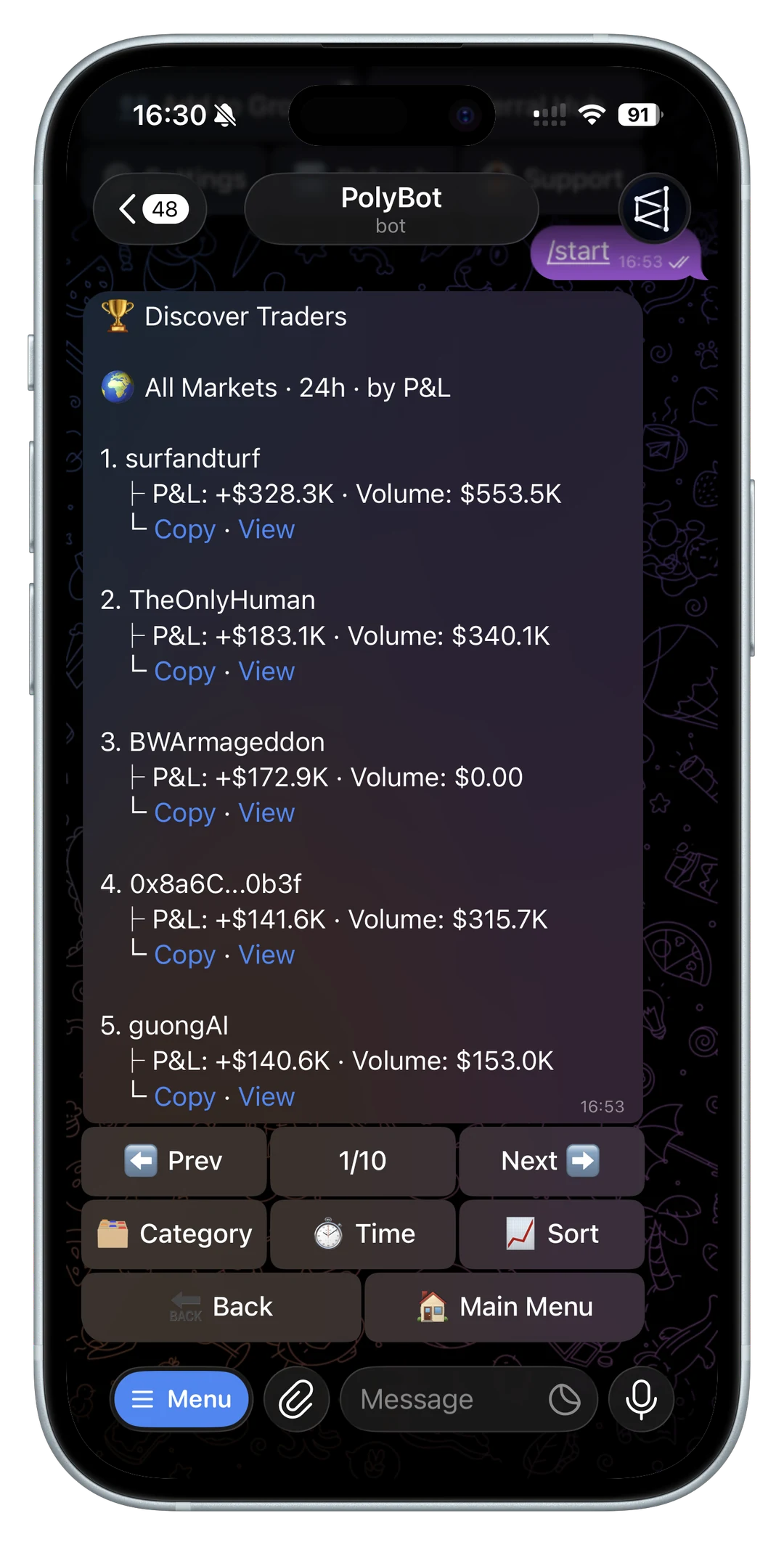
A Polymarket mobile trading bot is useful when it keeps the trading decision close to the signal without hiding the checks that protect the user.
Many prediction-market signals already arrive on a phone: Telegram groups, price alerts, wallet notifications, market links, news channels, and copied-trader updates. A mobile workflow can reduce the distance between signal and action. It can also make it easier to rush into a trade before checking the market wording, liquidity, wallet state, or order type.
For the full notification stack behind mobile alerts, copied-trade updates, order failures, portfolio reminders, and redeemable winnings, read the Polymarket notification bot guide.
If most mobile notifications are target prices or sudden price moves, read the Polymarket price alerts bot guide before turning phone alerts into orders.
If most mobile checks are about open positions, PnL, orders, or redeemable markets, read the Polymarket portfolio tracker bot guide before relying on quick account summaries.
If most mobile sharing is profit screenshots from Telegram groups, read the Polymarket PnL card guide before treating a clean image as proof of realized profit.
If a mobile notification comes from breaking news, headlines, or a fast event update, use the Polymarket news trading bot guide before treating the alert as an order instruction.
If a mobile notification comes from volume, trending markets, or sudden price movement, use the Polymarket volume alerts bot guide to keep discovery separate from execution.
This guide explains how to evaluate mobile Polymarket trading from Telegram: market search, paste-to-trade links, alerts, copy trading, portfolio review, orders, deposits, withdrawals, 2FA, and risk controls. If you want the broad bot framework first, read the prediction market trading bot guide. If you are comparing mobile Telegram execution with slower web research, read Polymarket Telegram bot vs web trading.
What mobile trading should improve
Mobile trading should improve workflow, not judgment.
A good mobile setup helps you:
- open a market link from a chat
- search for a market by topic
- review YES and NO prices quickly
- check portfolio and open orders
- receive useful alerts
- pause copy trading
- confirm deposits and withdrawals
- see failed orders and skipped trades
- manage stop-loss and take-profit rules
- return to the same market later
The core benefit is context. If a price alert arrives in Telegram, the market card, order controls, portfolio state, and wallet actions should be reachable without rebuilding the idea across several apps.
But every mobile shortcut needs a review step. A fast button is only useful if it still shows what market you are trading, which side you are buying or selling, what price is expected, how much size is involved, and what can go wrong.

Phone workflow versus desktop workflow
Desktop is usually better for slow research. A larger screen helps when you need to compare several markets, read long resolution criteria, inspect related markets, or build a more complex thesis.
Mobile is usually better when:
- the signal starts in Telegram
- you need to react to an alert
- you want to check a copied trade
- you are monitoring positions during the day
- you need to pause automation quickly
- you want to place a small, controlled order
- you need to verify a wallet action while away from your desk
The best workflow is often hybrid. Use desktop or the web app for deep research. Use Telegram on mobile for confirmed actions, alerts, portfolio checks, and copy-trading management.
For that tradeoff, keep the Telegram bot vs web trading guide nearby. A mobile bot should not pretend every decision belongs on a phone.
iPhone, Android, web, and desktop should share one state
A mobile trading workflow becomes weaker if each device feels like a different account.
Before relying on a bot across devices, check whether the same wallet, positions, open orders, copy settings, alerts, and portfolio views are available from Telegram on iOS, Android, web, and desktop. The point of a Telegram-native workflow is that the conversation and controls follow the user, not that every device becomes a separate trading surface. For stale-order cleanup from mobile, use the Polymarket open orders and cancel orders guide.
That shared state matters when:
- you receive an alert on your phone but review later on desktop
- you start a deposit from mobile and confirm balance later
- you pause copy trading from a phone after seeing a bad fill
- you open a market card in a group, then place the order from a direct message
- you cancel a stale order from another device
- you need support context after a failed order
If a product forces you to reconstruct state across devices, mobile speed loses much of its value. The mobile workflow should make the current account state easier to inspect, not create a second source of truth.
Start from official links on mobile
Mobile screens make impersonation harder to inspect. Usernames can be truncated, forwarded messages can look trustworthy, and fake support accounts can copy names and avatars.
Before funding or trading from a phone, verify:
- the official website path
- the Telegram username
- the docs URL
- whether you are in the official bot, not a copied chat
- whether a support message is actually official
- whether the bot ever asks for a seed phrase or private key
For PolyBot, start from polybot.trading, docs.polybot.trading, or the official TradePolyBot link. Do not start from a random direct message.
Read the official PolyBot links and fake bot safety guide before trusting any mobile link. If eligibility is unclear, read Can U.S. users use a Polymarket Telegram bot? before opening a wallet flow.
Use commands to recover context
Mobile Telegram chats can get messy. Old buttons, stale messages, copied market links, and forwarded screenshots can create confusion.
Commands are the recovery layer.
Useful mobile commands include:
/startfor the bot entry point or deep links/homefor a clean menu/walletfor funding, balance, and withdrawal checks/searchfor finding markets by topic/portfoliofor current positions/ordersfor open orders/copyfor copy-trading management/settingsfor trading preferences/helpwhen a flow is unclear
Read the Polymarket Telegram bot commands guide before relying only on old message buttons. On mobile, command recovery matters because you may be acting from a notification rather than a fresh menu.

Search and scanner workflows on a phone
Mobile search is useful when the idea starts outside the web app.
Examples:
- a group mentions a market topic
- a news item makes you wonder whether a market exists
- a price alert points to a category
- a friend sends a Polymarket link
- a wallet alert references a market you have not reviewed
Search and scanner results should be treated as discovery, not a trade.
Before trading from a mobile search result, check:
- exact market question
- YES and NO outcome meaning
- expiry
- current price
- spread
- visible liquidity
- whether the market is active
- whether a limit order is safer than a market order
Use the Polymarket market search guide for the direct search workflow and the Polymarket market scanner bot guide when volume, trending markets, alerts, or wallet activity are driving discovery.
Alerts should not become automatic taps
Mobile alerts are powerful because they reach you quickly. That is also why they are dangerous.
An alert can tell you:
- a price target fired
- a watched wallet traded
- a copied trade filled or skipped
- a large trade happened
- a position moved sharply
- a market resolved
- winnings are ready to redeem
It cannot tell you that the current order book is still good.
When an alert fires, ask:
- What changed?
- Is the price still near the alert level?
- Is the spread acceptable?
- Is there enough depth for my size?
- Should this become a limit order instead?
- Is this only a watchlist update?
- Do I need to pause a copy setup?
Use the Polymarket Telegram alerts and watchlists guide and the trading signals bot guide before turning mobile notifications into orders.
When not to trade from mobile
Some decisions deserve a slower surface.
Avoid phone-first execution when:
- you have not read the full market wording
- the market has related outcomes you need to compare
- the order book is too thin to understand quickly
- the trade depends on a legal, political, or resolution nuance
- the position would be large relative to your bankroll
- the alert is old or forwarded through several chats
- you are tired, distracted, or reacting to urgency
- a support account is asking you to move funds
In those cases, mobile should be used for saving the market, setting a reminder, adding an alert, or checking portfolio state. It does not need to be the place where the trade happens. Missing a trade is often cheaper than making a fast decision on a market you have not actually reviewed.
Fast mobile execution needs order discipline
Mobile execution is useful when a market link, alert, or group message needs quick review. It is risky when speed becomes the reason for the trade.
Before tapping a fast buy or sell flow, confirm:
- market title
- outcome side
- amount
- expected price
- slippage or price protection
- order type
- balance impact
- whether the trade is opening or closing exposure
Market orders may be appropriate when speed matters and liquidity is good. Limit orders are often better when price matters more than immediacy.
Read the Polymarket sniper bot guide, limit orders guide, and order types guide before treating mobile execution as a pure speed feature.
Copy trading from mobile needs pause controls
Copy trading is a monitoring workflow, and mobile is good for monitoring.
From a phone, you may need to:
- review a copied fill
- see why a copied trade skipped
- pause a leader
- lower a daily cap
- change slippage
- check copied exposure
- review a wallet before subscribing
- stop copying after a bad pattern
The key mobile requirement is control. A copied-wallet notification should make it easy to inspect what happened and pause or adjust the setup. It should not pressure you to accept every new position.
Use the how to copy trade on Polymarket from Telegram guide, copy trading settings guide, and copy trading bankroll guide before increasing mobile-managed copy exposure.
Portfolio and orders matter more on mobile
Mobile traders can lose track of exposure because the next notification arrives before the last trade is reviewed.
Before placing another trade, check:
- current positions
- open orders
- available balance
- unrealized PnL
- copied exposure
- pending redeems
- stop-loss and take-profit rules
- whether old limit orders still match your thesis
The Polymarket portfolio and orders guide explains how to review positions, sells, redeems, and open orders from Telegram. The PnL tracker guide explains why unrealized PnL is not the same as a guaranteed exit.
Wallet actions need extra care from a phone
Deposits and withdrawals are high-risk mobile actions because a wrong address, fake support message, or rushed network choice can create a real loss.
Before depositing:
- verify the official bot
- open the wallet flow yourself
- choose the correct network
- copy the address from the current bot screen
- start with a small test if appropriate
- wait for confirmation before assuming funds are tradable
Before withdrawing:
- check open orders and active positions
- verify the destination address
- confirm the network expected by the withdrawal flow
- use 2FA if enabled
- save the transaction hash
- ignore urgent support messages asking for private keys or seed phrases
Use the Polymarket Telegram bot deposit guide, deposit not showing up guide, cash-out guide, withdrawal guide, withdrawal failed guide, and 2FA security guide before moving larger balances from a phone.
Mobile trading checklist
Before using a Polymarket mobile trading bot with real size, confirm:
- You are in the official bot.
- You understand eligibility limits.
- You can recover to
/home. - You can inspect wallet, portfolio, and orders.
- Search results show enough market context.
- Alerts have planned actions.
- Market orders show amount and expected price.
- Limit orders are available when price control matters.
- Copy trading can be paused quickly.
- Deposits and withdrawals are verified from the official wallet screen.
- 2FA is enabled for sensitive actions when available.
- You review fills, skips, and failed orders after the fact.
Mobile is a good surface for fast, signal-driven workflows. It is not a substitute for market understanding. The best mobile setup makes review faster, not optional.
Not investment advice, legal advice, tax advice, or security advice. Prediction markets are risky, eligibility rules vary, and mobile alerts can create urgency. Always verify official links, market wording, wallet safety, and current product docs before funding or trading.
Polymarket Market Scanner Bot Guide: Find Markets, Alerts, Liquidity, Wallet Signals, and Risk
How to evaluate a Polymarket market scanner bot workflow: search, trending markets, volume, price alerts, whale alerts, wallet signals, liquidity, order books, and risk controls.
Telegram Trading / 12 min
Polymarket Market Search in Telegram: Find Markets, Check Liquidity, and Trade Safely
How to use Polymarket market search inside Telegram: /search, /polybot group search, volume, trending, category, live, up/down markets, liquidity checks, paste-to-trade, and safe order review.
Telegram Trading / 11 min