Best Polymarket Telegram Bot Alternatives
Compare Polymarket Telegram bot alternatives by copy trading, wallet analysis, sniper execution, alerts, automation, custody, fees, and risk.

PolyBot Team
Updated August 22, 2026
Maintained by the PolyBot product team with AI-assisted editing. This is a product-authored comparison framework, not an independent ranking.
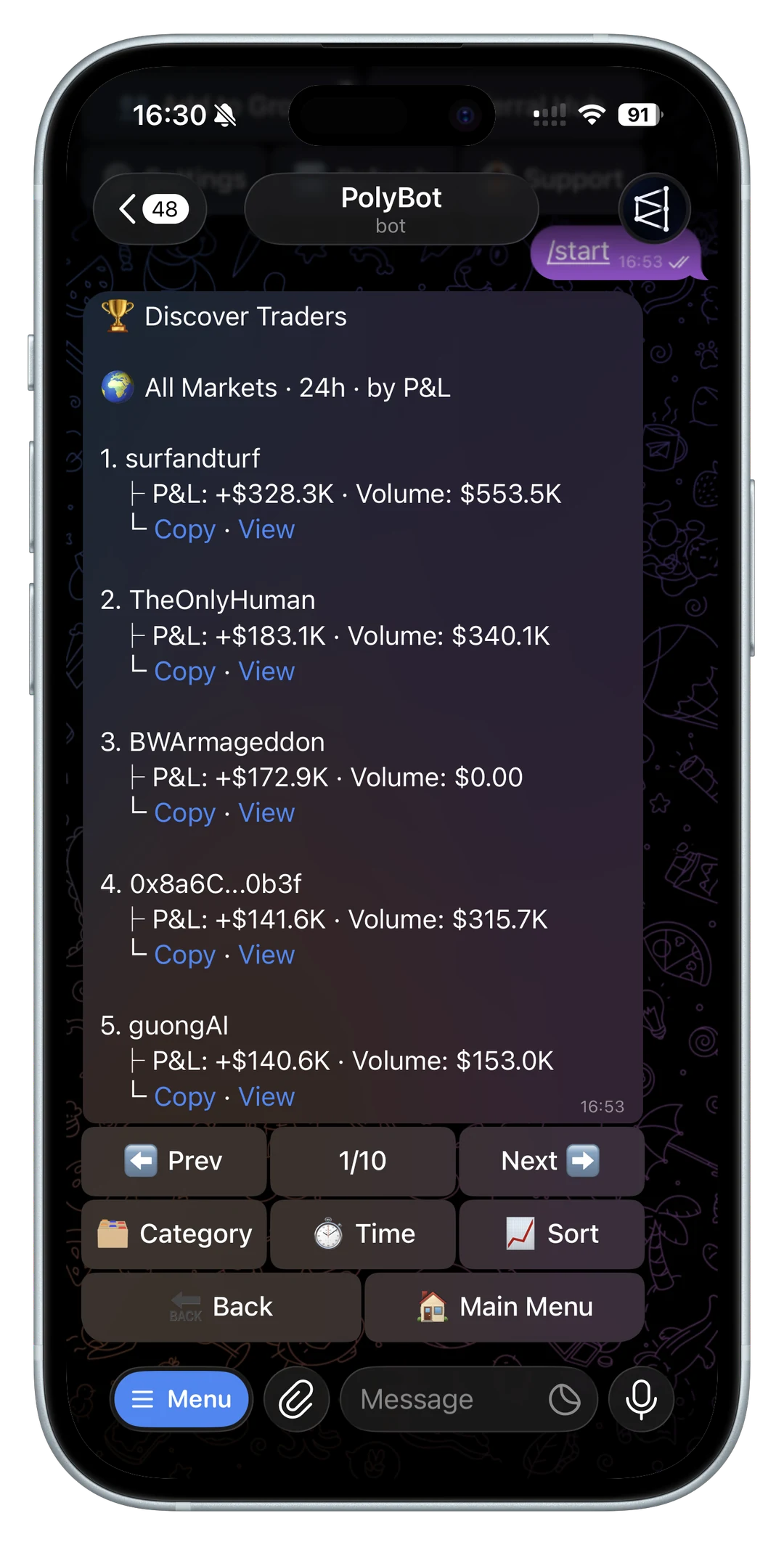
Polymarket Telegram bot alternatives are not all solving the same problem.
Some focus on copy trading. Some emphasize sniper-style entries. Some are alert tools. Some are manual trading terminals. Some are broader portfolio or wallet tracking layers. The right comparison starts with the workflow you actually want.
This guide gives a practical framework for comparing Polymarket trading tools without relying on stale feature lists or unverified “best bot” claims.
Because bot features and fees can change quickly, avoid treating any comparison as permanent. Use this page as a current evaluation framework, then verify the official docs, bot links, fee pages, and wallet flow for any product before funding it.
If one alternative asks you to bring API credentials or self-host infrastructure, read the Polymarket API trading bot guide before treating that as a simple setup step.
Start with the job you need done
Pick the primary job first:
- copy selected Polymarket wallets with explicit controls
- analyze wallets before copying
- trade faster from Telegram
- set limit orders or target entries
- monitor watchlists and alerts
- automate crypto UP/DOWN strategies
- share markets inside Telegram groups
- track portfolio PnL
- reduce browser switching
If you do not define the job, every bot looks similar.
PolyBot is built around a broader Telegram-first Polymarket workflow: copy trading, wallet analysis, automated strategies, market and limit orders, alerts, group trading, and Safe wallet control.
Start with the Telegram trading bot guide for the product overview.
If you care about creator or community distribution, read Polymarket Telegram bot referral program.

Types of Polymarket bot alternatives
Most alternatives fit one or more categories:
| Category | Best for | Main risk to check |
|---|---|---|
| Copy trading bot | Following selected wallets | Copying bad wallets or getting worse fills |
| Sniper or fast execution bot | Acting on links, alerts, or target prices | Overpaying in thin markets |
| Wallet analyzer | Researching traders before copying | Mistaking old PnL for repeatable edge |
| Alert or scanner tool | Finding markets and price moves | Too much noise without filters |
| Portfolio tracker | Monitoring exposure and open positions | Weak order-management visibility |
| Group trading bot | Sharing markets inside Telegram communities | Confusing discussion with a trade signal |
| Self-hosted bot | Full control for technical teams | Security, uptime, and maintenance burden |
PolyBot sits closer to an all-in-one Telegram workflow than a single-purpose alert bot. That matters if you want wallet research, copy settings, manual execution, order management, strategy automation, and risk controls in one place.
If you are deciding between Telegram and the web app first, read Polymarket Telegram bot vs web trading.
If your workflow starts in communities, read the Polymarket Telegram group trading guide before comparing group-bot features.
Compare copy trading depth
Copy trading is not just "paste a wallet."
Compare:
- wallet analysis before copying
- fixed-size vs percentage sizing
- category filters
- max trade size
- slippage controls
- pause controls
- copied-trade reporting
- PnL tracking
If a bot makes copying easy but analysis weak, it may help users copy bad wallets faster.
Read the best Polymarket copy trading bot checklist and the wallet analyzer guide.
The most useful copy-trading alternative is not always the fastest one. It is the one that helps you answer whether the source wallet is copyable at your size. That means category history, trade-size distribution, liquidity, and copied-fill quality matter as much as a leaderboard rank.
Compare execution style
Some users want fast manual execution. Others want rules.
Check whether each alternative supports:
- market orders
- limit orders
- trigger prices
- stop-loss
- take-profit
- trailing stop
- automated entry rules
- clear confirmation before execution
Compare execution speed together with slippage limits, partial-fill behavior, and the copy trading latency tradeoff. Raw speed is not enough.
If automated rules are your main use case, read the Polymarket Auto Trader guide before comparing bot feature lists.
Also check whether the product separates market orders from limit orders clearly. "Fast entry" and "price-controlled entry" are different workflows. A tool that is strong for sniper-style entries may not be ideal for cautious limit-order management, and the opposite can also be true.
Compare wallet analysis before execution
A bot that executes quickly but does not help you judge the wallet first can push users toward impulsive copying. Before choosing an alternative, check whether the workflow helps you answer:
- is the wallet profitable across enough trades?
- does the wallet win because of skill or one lucky market?
- are position sizes consistent enough to copy?
- does the wallet trade markets with enough liquidity for followers?
- can you separate realized PnL from open exposure?
This is where a Polymarket wallet analyzer is useful. Copy trading should start with evidence, not only a leaderboard rank or a social recommendation.
For trader discovery, read best Polymarket traders to copy. It explains why the best wallet to analyze is not always the largest wallet or the most visible whale.
For address-level checks, read the Polymarket wallet lookup guide before assuming any alternative's wallet checker is enough for copy trading.

Compare alert quality
Alerts are useful only when they reduce noise.
Evaluate:
- price alerts
- watchlists
- new market alerts
- volume or liquidity alerts
- whale or wallet alerts
- Telegram group alerts
- category filters
- one-tap transition from alert to review
Alert tools can be valuable even if they are not full trading bots. The question is whether the alert leads to a better decision or just more notifications.
Good alerts should connect to an action path. If the alert tells you a market moved but gives you no easy way to inspect spread, available size, order history, or risk settings, it may increase urgency without improving decision quality.
Compare custody and safety
Any trading bot that touches funds needs a safety review.
Ask:
- who controls the wallet?
- can funds be withdrawn?
- are keys or permissions clearly explained?
- what fees apply?
- does the bot document gas behavior?
- can automation be paused?
- are limits visible before execution?
- is support reachable?
PolyBot's public positioning includes Safe wallet control as part of the product experience. For the broader checklist, read Polymarket Telegram bot fees, custody, gas, and safety.
Before interacting with any Telegram bot, verify official links. Impersonation risk is not theoretical in Telegram workflows. The official PolyBot links and fake bot safety guide gives the checks to run before trusting a bot handle, support account, or funding instruction.
If you are comparing permission models, read Polymarket API keys, wallet permissions, and Telegram bot safety.
Compare against your trading frequency
The best alternative for a high-frequency trader may be wrong for a cautious copy trader.
If you trade daily, prioritize:
- speed
- alert quality
- order controls
- portfolio visibility
If you copy trade, prioritize:
- wallet analysis
- filters
- sizing
- slippage protection
- stop-loss and take-profit
If you trade from groups, prioritize:
- market sharing
- group-friendly cards
- private confirmation
- watchlist handoff
The Polymarket Telegram bot comparison hub links direct PolyBot comparisons.
The comparison hub contains source-dated, named comparisons. If you are weighing a managed Telegram workflow against building your own infrastructure, compare the operational burden as carefully as the feature list.
Best alternative by use case
Use case matters more than brand:
- If you mainly copy wallets, prioritize wallet analysis, filters, slippage controls, copied-fill reporting, and pause rules.
- If you mainly trade manually, prioritize market search, paste-to-trade, order confirmation, limit orders, and portfolio visibility.
- If you mainly automate crypto UP/DOWN markets, prioritize strategy rules, trigger behavior, exit controls, and clear logs.
- If you mainly join Telegram groups, prioritize group market cards, private confirmations, and official bot verification.
- If you mainly research wallets, prioritize analyzer depth over order buttons.
- If you need maximum control and have engineering support, compare self-hosted infrastructure against a managed Telegram workflow.
The wrong alternative is usually the one that optimizes a different job than yours. A powerful scanner does not replace copy-trading risk controls. A fast execution bot does not replace wallet analysis. A self-hosted bot does not reduce operational responsibility; it increases it.
For manual trading, check the market question, resolution rules, spread, available size, and order type before treating a search result as actionable.
What to verify before switching tools
Before moving funds from one Polymarket bot workflow to another, verify:
- official website and Telegram handle
- current docs and support channels
- deposit and withdrawal flow
- custody model and key export options
- market and limit order behavior
- copy-trading filters and sizing controls
- slippage and liquidity handling
- failed-order explanations
- fee schedule and gas behavior
- ability to pause automation quickly
This is where many "best bot" comparisons are too thin. The winner on paper can be the wrong choice if it does not explain funds, failures, or risk controls clearly.
Questions about Polymarket bot alternatives
What is the best PolyBot alternative?
It depends on the workflow. A trader who wants copy trading needs different controls than a trader who wants fast manual execution, alerts, or a self-hosted system. Compare alternatives by job, custody, controls, and documentation before ranking them.
Are sniper bots better than copy trading bots?
Not universally. Sniper-style tools fit target-price and fast-entry workflows. Copy trading tools fit wallet-following workflows. Both can fail if liquidity is thin, slippage is loose, or the trader does not understand the market.
Should I use more than one Polymarket tool?
Some traders do. For example, they may research on the web, analyze wallets with a dedicated tool, and use Telegram for alerts or execution. The risk is fragmentation: if orders, alerts, and portfolio state are split across tools, it becomes easier to miss exposure.
Is a Telegram bot safer than a browser workflow?
Safety depends on the bot, custody model, permissions, official-link verification, and user behavior. Telegram can be convenient, but it also makes fake bot and impersonation checks more important.
Avoid comparison traps
The weakest comparisons focus only on brand names or screenshots. For Polymarket, the better comparison is operational:
- Can the tool handle the markets you actually trade?
- Does it explain custody, fees, permissions, and withdrawal flow?
- Can it recover gracefully from failed orders or thin liquidity?
- Does it help you slow down when a market should be skipped?
- Does it document the current workflow clearly enough that you can verify it before moving funds?
Those questions are less flashy than a feature table, but they are closer to how traders choose tools that survive daily use.
Choose by workflow, not bot branding
The best Polymarket Telegram bot alternative depends on workflow, not branding. Compare tools by the job they do: copy trading, wallet analysis, alerts, execution, automation, or safety.
Not investment advice. Product features and fees can change, so validate current docs before moving funds.
Self-Hosted Polymarket Bot vs Telegram Bot: Which Workflow Fits?
Compare self-hosted Polymarket bots with Telegram trading bots by engineering effort, ops burden, wallet analysis, copy trading, and risk controls.
Comparison / 10 min
Polymarket Cuts Crypto Taker Delay From 250ms to 50ms
Polymarket reduced its crypto-market taker delay from 250ms to 50ms. Here is what changed for fills, trading bots, makers, and copy traders.
Execution / 5 min